
Bulin 47 freestyle trend · Original AI rap
Bulin 47 AI Freestyle Video Generator
Do the Bulin 47 AI trend with one photo: you freestyle on a night street while an AI friend holds the speaker. Upload your photo, preview it free, then get the video in about 5–10 minutes.
Street freestyle video studio
Added by AI: a friendly invented person who holds the speaker. No second photo needed.
By creating, you confirm you have permission to use both photos.Terms of Service
4 rap duets for $9.90 · or 22 a month on Pro
See pricing- No watermark
- MP4 download
- Failed videos refunded
3 free preview photos per account. The video itself uses credits.
Original AI rap, not the original freestyle. Not affiliated with Bulin 47 or Kevin Wai.
What is the Bulin 47 AI trend?
The Bulin 47 AI trend is a video edit that drops you into a viral street freestyle: you rap to the camera while another person holds a portable speaker on a city street at night. It is also called the Bulin 47 freestyle AI trend.
It started from a street freestyle by the Dominican rapper Bulin 47 with Kevin Wai, who walked up with a portable speaker outside a restaurant in Spain. In October 2026, AI remixes of that moment spread across TikTok, Reels and Shorts.
You can make your own Bulin 47 AI video here from one photo, without editing. MigosAI writes an original rap and animates you in an original night-street scene; the friend with the speaker is an AI-invented person. It does not use the original clip, its audio or anyone's voice, and it is not affiliated with Bulin 47 or Kevin Wai.
Bulin 47 AI video examples
Made with MigosAI from one AI-generated portrait each, not real people. Each card lists the exact settings, so you can copy them.
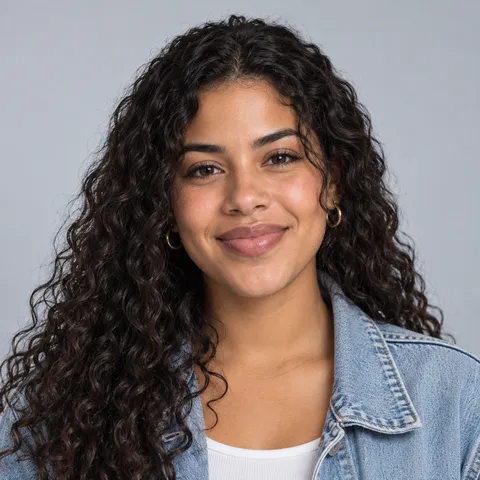
Denim jacket, night out
Inputs: one portrait. Settings: Street, HD, 10 seconds, 9:16.
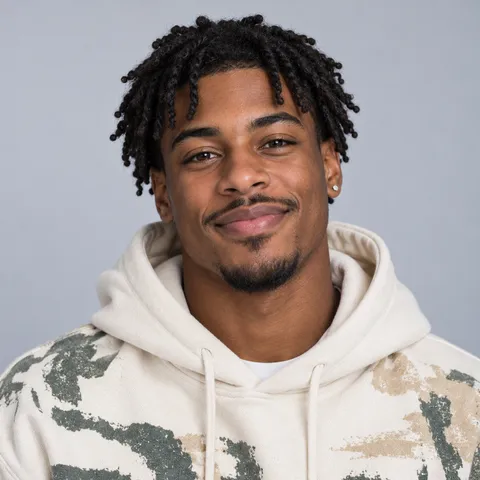
Date night tacos
Inputs: one portrait. Settings: Street, HD, 8 seconds, 9:16, lyrics topic "date night tacos".
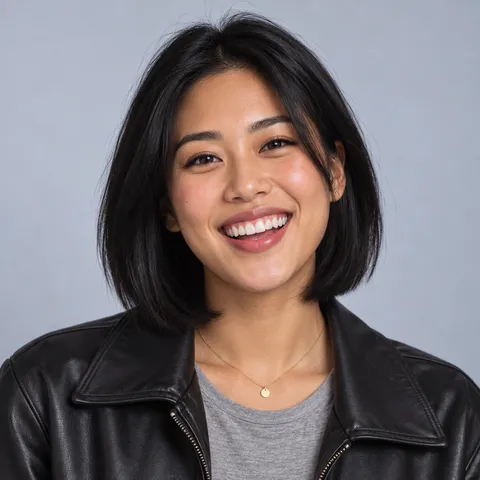
Monday meetings
Inputs: one portrait. Settings: Street, Standard, 10 seconds, 9:16, lyrics topic "Monday meetings".
How to make a Bulin 47 AI video
You need one photo and a browser. The render takes about 5–10 minutes.
Upload your photo
Pick one clear, front-facing photo of you or a friend. You are the one who freestyles; the AI friend with the speaker is added for you.
Keep the Street background
The background starts on Street, the night-street freestyle look. Choose 9:16 for TikTok or Reels and 8 or 10 seconds for a quick clip.
Preview it, then render
Make a free preview photo to check your face and the scene. If it looks right, generate the video and download the MP4 from My Videos.
Why make your freestyle with MigosAI
Plan your freestyle
The street scene, set up for you
The Street background puts you outside a restaurant at night with an AI friend and a portable speaker. No reference clip, no prompt.
One photo is enough
No second photo, no group shot, no editing. The friend holding the speaker is invented by the AI, not a real person.
You get the mic
You are the rapper, so you get the closest lip sync. The AI friend bobs along and holds the speaker.
Bars about your people
Add a lyrics topic and a short note about you, and the rap is written around your idea.
Finish your video
Preview before you pay
Each account gets 3 free preview photos of you on the street, so you can check the look before spending credits.
Shapes for every app
9:16 for TikTok and Reels, 1:1 for feeds, 16:9 for YouTube, all at the same price.
A clear price, a fair refund
The credit cost shows before you render. Failed renders are refunded automatically.
Short-lived uploads
Uploaded photos are deleted after 24 hours. Videos stay in My Videos for 30 days.
Freestyle video ideas
You on the mic
The classic: upload your photo, pick a topic from your group chat, and post the clip the same evening.
Swap the rapper
Make it twice with a different photo each time, one for you and one for a friend, and post both versions.
A birthday roast
Upload the birthday person's photo, set the topic to their name, and send the clip to the group chat.
A team or creator collab
One creator photo, one inside joke as the topic, one 10-second clip for TikTok, Reels or Shorts.
Tips for a freestyle video that looks right
- Face the camera. Side profiles often come out distorted.
- Use a solo photo. If other people are in it, the AI may pick the wrong face to animate.
- Crop close if your face is small in the photo. Tiny faces give weaker results.
- Pick photos with even light. The scene is dark, but your faces need to be clear in the originals.
- Test on Standard, post on HD. Standard is up to 720p, HD up to 1080p.
- Expect some variation. Results differ between runs, and a retry costs credits unless the render failed.
Is the Bulin 47 AI trend free? What it costs
Preview photos are free, 3 per account. Videos cost credits based on quality and length: an 8-second Standard video is 8 credits and a 10-second HD video is 20 credits. Credit packs start at $9.90, never expire, and are paid by card. Our merchant of record at checkout (Waffo Pancake or Creem) resells the service and handles tax and invoicing; its buyer terms apply. Compare packs and plans
FAQ
Information checked October 13, 2026.
How do you do the Bulin 47 AI trend?
Upload one photo, keep the Street background, and generate. The AI adds a friend with the speaker, and the MP4 is ready in about 5–10 minutes.
Can I do the Bulin 47 AI trend for free?
Yes, you can try it free: each account gets 3 preview photos of you on the street, no card needed. The video costs credits, shows its price before you render, and has no watermark.
Is there a Bulin 47 filter or app?
There is nothing to install. MigosAI works in mobile and desktop browsers, and the Street background works as the template: scene and speaker are built in.
Do I need a prompt or the original video?
No. You only need two faces. To steer it, add an optional lyrics topic and a short note for each person.
Do I need a second photo or a friend?
No. One photo is all it takes. The friend who holds the speaker is invented by the AI, so there is nothing else to upload.
Will it sound like Bulin 47?
No, on purpose. The rap is written fresh by AI. The original freestyle and its audio are not used, no voice is cloned, and your video does not show Bulin 47 or Kevin Wai.
When did the Bulin 47 trend start?
AI versions of the Bulin 47 street freestyle went viral in October 2026 on TikTok, Instagram and YouTube.
Is the lip sync as good for the friend with the speaker?
The rapper gets the closest lip sync. The AI friend bobs, reacts and holds the speaker, so the video centers on you.
What format should I pick for TikTok or Reels?
Pick 9:16. The 1:1 and 16:9 formats cost the same, and every format comes in 5, 8 or 10 seconds.
Can I use someone's photo without asking?
No. Upload only photos you have permission to use, and that includes friends and family.
Keep going
Migos AI video generator
The main page, with every mode explained and more examples.
Pricing
Credit costs by quality and length, plus packs and monthly plans.
Best Migos AI video generators
How the tools that make AI rap duet videos compare on free tiers and price.
Rap video ideas and guides
Two photos in, a short rap video out, with a verse the AI writes for you.
A new AI verse on a beat, performed by two people from your photos.
Free tool: a topic and a vibe in, 8 or 16 bars of original rap out, ready to copy.
Your face on the lead mic, rapping a new verse while a friend backs you up.
A friendly roast rap video: one friend delivers the burn, the other takes it.
Two friends face off at one mic, with an original verse written by AI.
A short surprise clip that puts the birthday person on stage in a rap duet.
An original verse about the birthday person, performed on video by two people.
How to do the Hotel Lobby trend
A step-by-step guide from two photos to a finished 9:16 video, with photo tips and topic ideas.
What each tool gives away for free, the catches, and the cheapest paid route.
Make a Bulin 47 AI video
Two photos, one free street preview, then a render of about 5–10 minutes.
Start with two photos3 free preview photos per account · Videos use credits